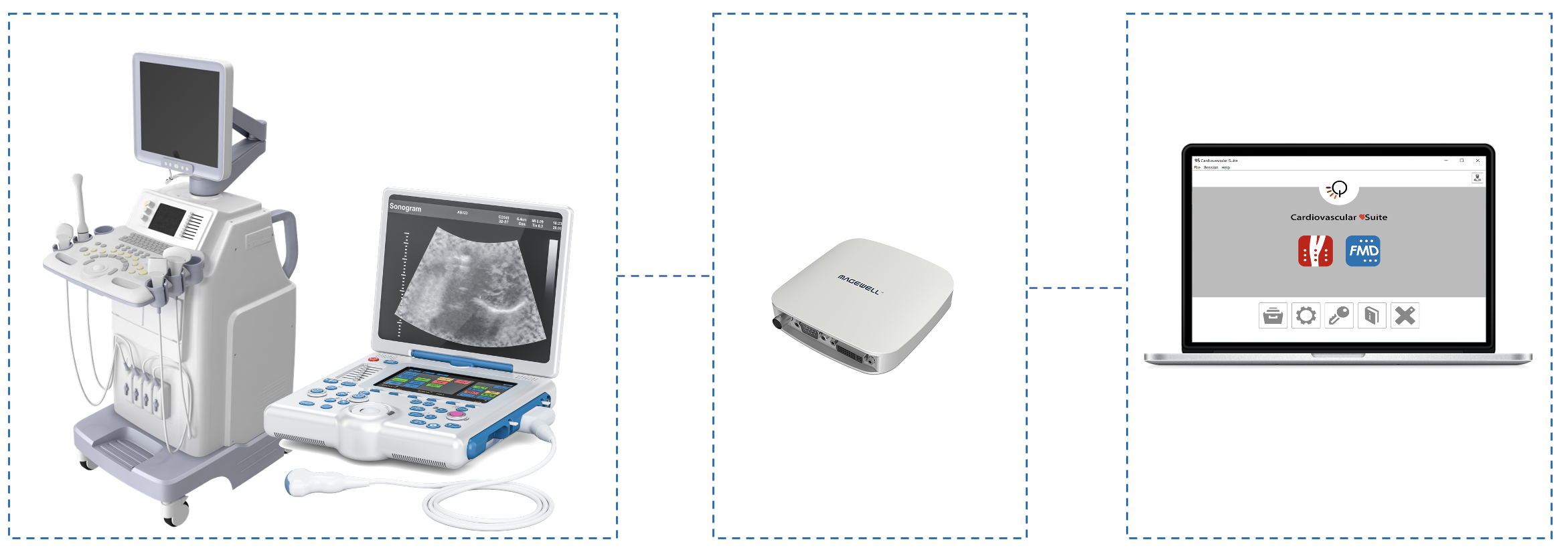
A video capture device is needed to connect the computer with the ultrasound system and perform real-time analysis. Quipu recommends the Magewell USB Capture AIO.
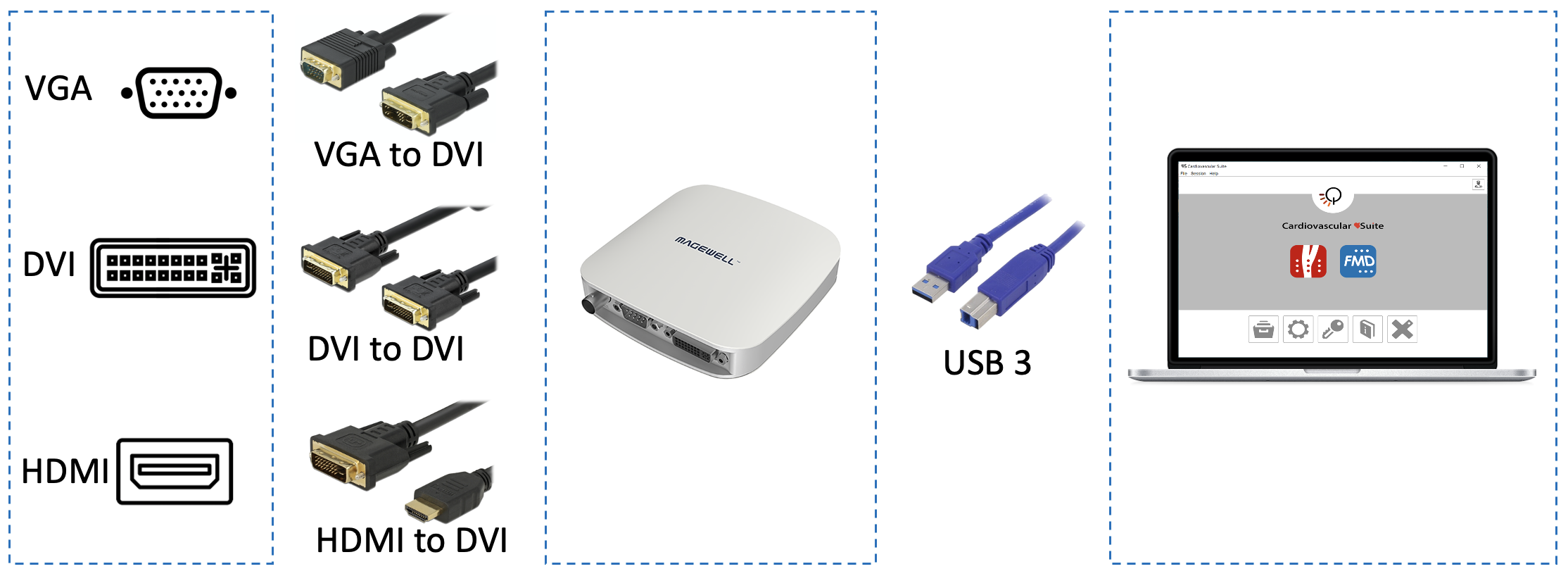
If the ultrasound device has a VGA, DVI or HDMI output (see next figure for reference), one of these outputs should be used to connect your ultrasound machine to the Magewell USB Capture AIO. Detail of the connections based on the output video format:
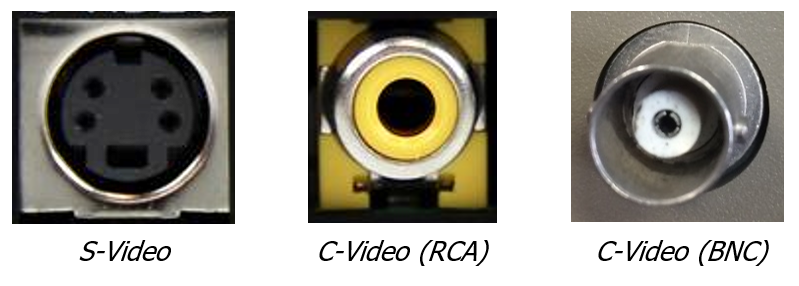
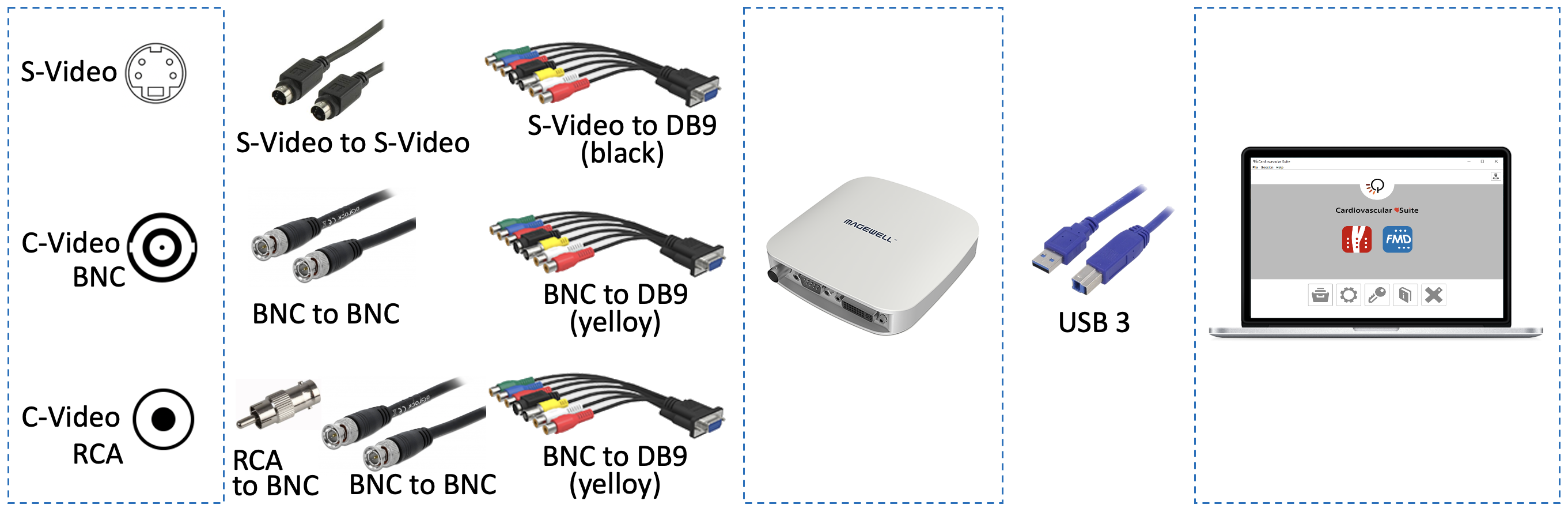
If the ultrasound device has a “legacy” (S-Video or C-Video) video standard output (see next figure for reference), the ultrasound machine can be connected to the Magewell USB Capture AIO through the DB9 adapter.
Detail of the connections based on the output video format:
NOTE: Please, verify with the ultrasound machine technician that the video output of your ultrasound machine is active. |
For information on the availability and the standard of the video output, please contact the manufacturer of the ultrasound system.
For additional technical information on how to connect the computer to the ultrasound apparatus and on the compatible video standards, please contact us at support@quipu.eu
CAUTION: The B-mode window in the video must have a minimal resolution of 6 pixels/mm. If present, the size of the PWD window in the image must be at least 200x100 pixels. |
CAUTION: The ultrasound scanner must be in accordance with the European Medical Device Regulation (EU) 2017/745 or cleared / registered / licensed by the appropriate regulatory authority. |