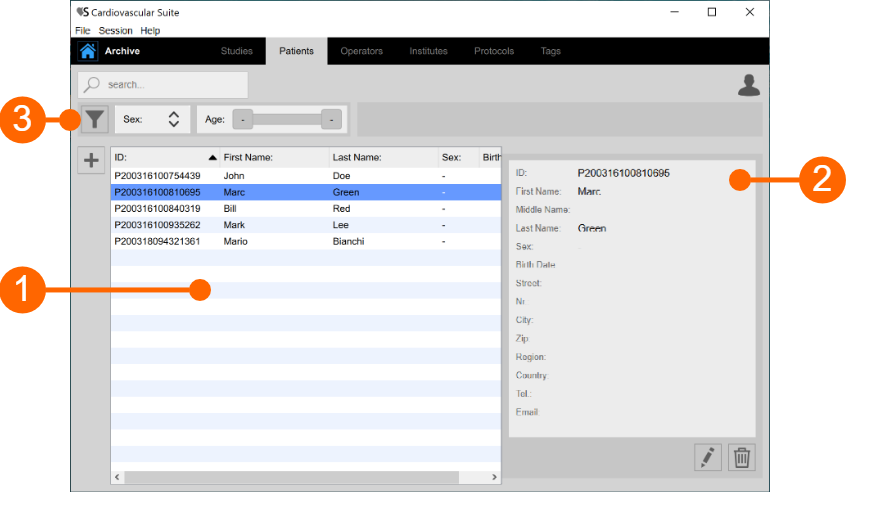
Allows you to manage patients.
The patient list is given in table (1). Once you select one of patients, detailed information are shown in the frame (2).
In the frame (3) you can perform textual research and add and remove filters. The following filter can be used:
In addition, with a double click on a patient, the list of the study related to that patient is shown in the Studies management window:

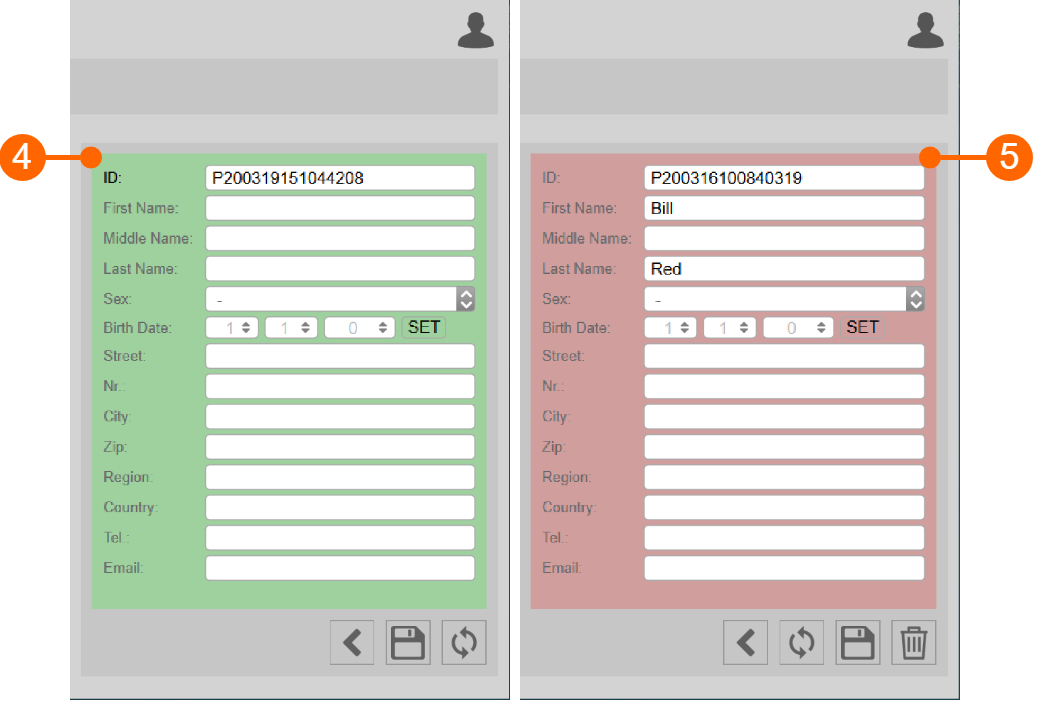
Add a new patient:
 button.
 button to save the patient data.
Modify a patient:
 button. button to save the data.
 button to restore data.
Delete a patient:
 button.
You cannot delete a patient that is associated with existing studies. |