The top bar contains some essential information for the navigation.

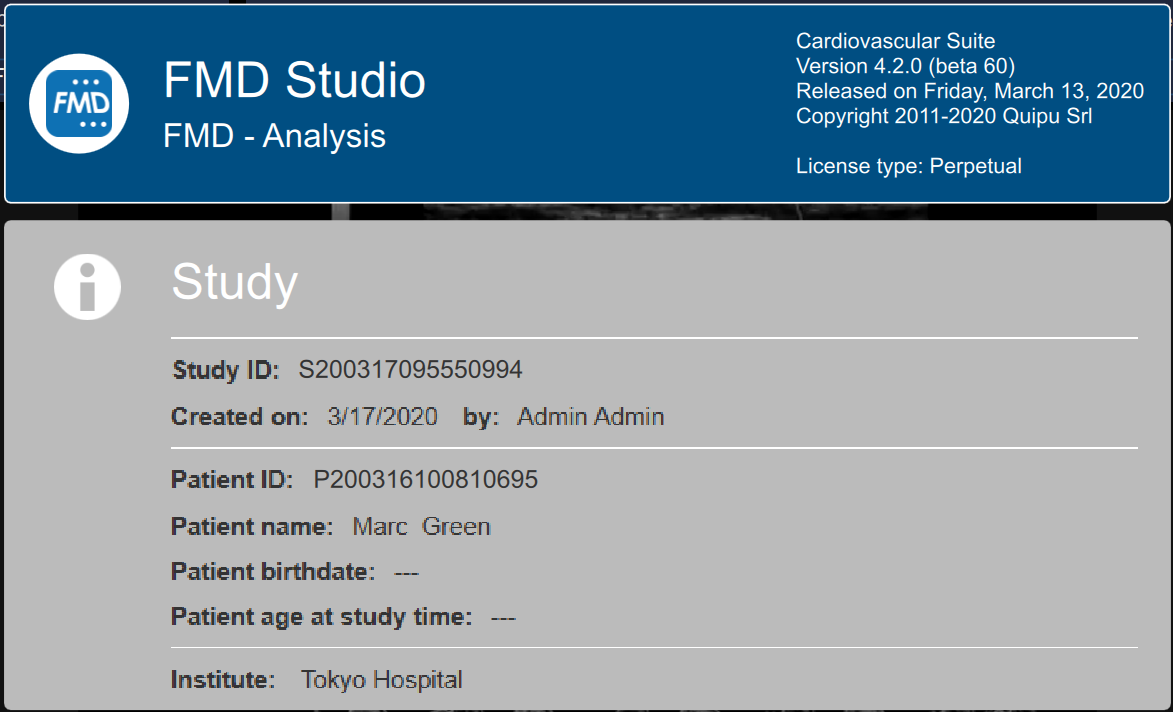
The FMD Studio  button shows a panel containing some information about Cardiovascular Suite and about the current study. Regarding the study, the study ID is displayed together with information about the patient and the institute. Information about the software, such as version and type of license, are shown in the upper part of the panel.
The home  button closes the FMD Studio application and returns to the home screen of Cardiovascular Suite.
The Archive button  closes the FMD Studio application and returns to the archive of Cardiovascular Suite.
The New video button  allow to open a new video for the analysis.
The Tags Management  button opens the tag management panel as described in Tags.
The preset management  button opens the preset management panel as described in Presets.
The Setup Panel  button is used to show the setup panel when it is hidden.
The Info  button shows information about active controls (calibration lines, ROI, etc.).
The start/pause and save buttons works in a different way for offline analysis and real-time analysis:
- In offline analysis, the Start the Analysis
 / Pause the Analysis
  button starts and suspend the image analysis. The Save the Document
  button, saves the document.
 - In real-time analysis, the Start Recording / Pause Recording button starts and suspend both the image recording and the image analysis. The Stop Recording ad Save button, stops the image recording (i.e. stops the examination) and saves the document.
The Cancel the analysis  button discard the data that have been collected so far.
The Review Documents  button allows to suspend the analysis and to review the documents saved in the current analysis session. The button is only activated if you saved at least one document.