Operators management
Allows you to manage operators.
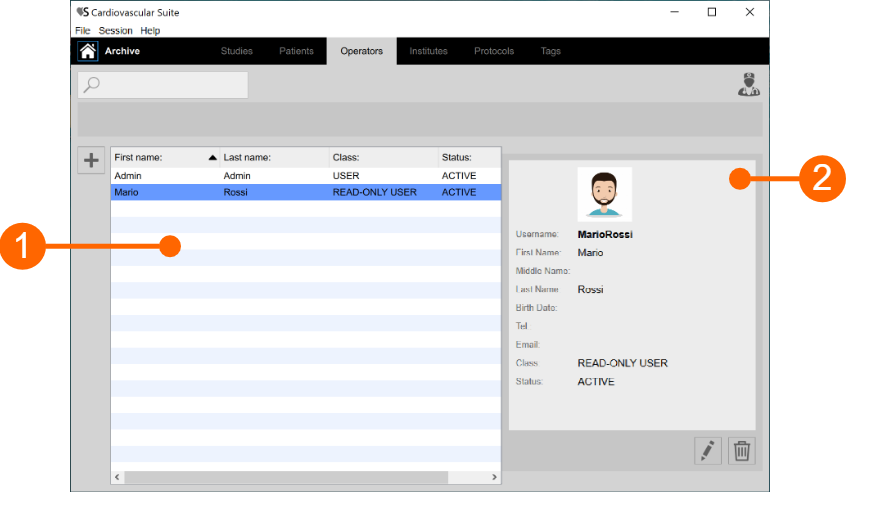
The operators list is given in the table above (1). Once you select one of the operators, detailed information are shown in the frame (2).
You can double click on the operator in table (1) to show the studies performed by this operator in the Studies management window.
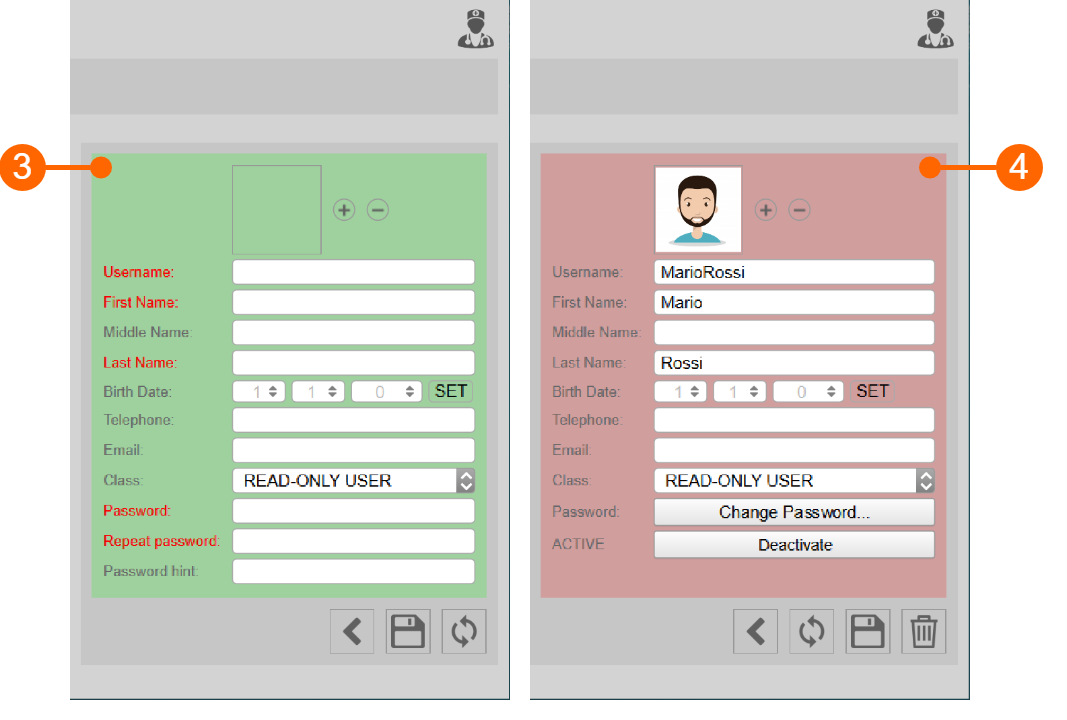
Add a new operator:
- Click on the Add New Operator
 button.
 - In the new operator frame (3), enter the operator data. Labels of mandatory fields (First Name, Last Name) are red.
- Click on the Save
 button to save the operator data.
Modify an operator:
- Select the operator to be modified.
- Click on the Edit
 button.
 - Modify the operator data in the frame (4).
- Click on the Save button to save the data.
- You can use the Restore
 button to restore data.
Delete an operator:
- Select the operator to be deleted.
- Click on the Delete
 button.
 - Confirm deletion with the OK button.
You cannot delete an operator that is associated with existing studies.